A100
Pick the A100 for Ampere, 40 GB or 80 GB, and a lighter rack. SXM is 400 W, and a custom thermal 80 GB SKU can go to 500 W.
NVIDIA A100A100 vs H100
Have an A100 or an H100, or need one? Tell us which. We verify the hardware, match a Have with a Need, and handle the deal. If you're selling, you pick which offer to take.
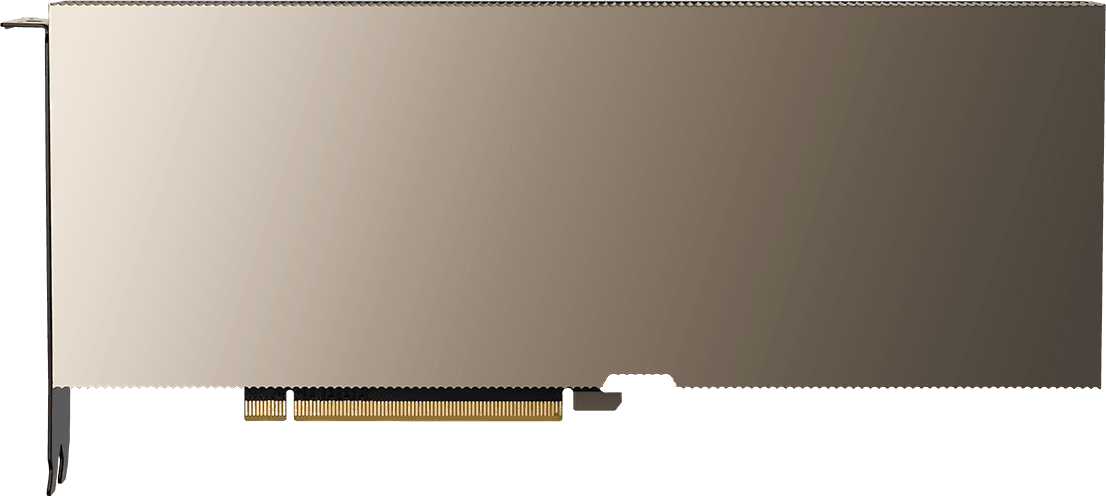
NVIDIA
A100
NVIDIA
H100
A100
Pick the A100 for Ampere, 40 GB or 80 GB, and a lighter rack. SXM is 400 W, and a custom thermal 80 GB SKU can go to 500 W.
NVIDIA A100H100
Pick the H100 for Hopper and more memory bandwidth. It comes as 80 GB SXM, 80 GB PCIe, or 94 GB NVL, with SXM configurable up to 700 W.
NVIDIA H100Ampere
A100
Hopper
H100
Blackwell
Blackwell Ultra
40 GB HBM2 or 80 GB HBM2e
80 GB (SXM, PCIe), 94 GB (NVL)
2,039 GB/s (80 GB SXM), 1,935 GB/s (80 GB PCIe), 1,555 GB/s (40 GB)
3.35 TB/s (SXM), 2 TB/s (PCIe 80 GB), 3.9 TB/s (NVL)
250 W (40 GB PCIe), 300 W (80 GB PCIe), 400 W SXM, up to 500 W on a custom thermal 80 GB SKU
Up to 700 W (SXM), 350 W (PCIe 80 GB), 350–400 W (NVL)
Architecture
A100. Ampere
H100. Hopper
Form factor
A100. SXM4, PCIe
H100. SXM, PCIe, NVL
NVLink
A100. 600 GB/s per SXM GPU
H100. 900 GB/s per SXM GPU; 600 GB/s on NVL
Common systems
A100. HGX A100 (4-, 8-, or 16-GPU), DGX A100, PCIe servers
H100. HGX H100 (4-GPU or 8-GPU), DGX H100
Published system power
A100. Dense 4U–8U class air-cooled nodes are common, and lighter than an H100 node
H100. Official DGX H100 is 8U at 10.2 kW. Partner HGX nodes vary.
The A100 is the previous-generation NVIDIA data-center GPU. People still use it for training, fine-tuning, and inference when they want Ampere software and a known platform. It moves as 4-GPU and 8-GPU HGX servers, DGX A100 systems, and PCIe cards.
The H100 is Hopper, the volume workhorse for training and inference. SXM is the GPU in HGX H100 and DGX H100 8-GPU servers. The 80 GB PCIe card fits standard servers. H100 NVL is the 94 GB card, often used in bridged pairs.
Choose on memory size, form factor, and the rack you can power. An 8-GPU A100 node is still dense, and it is lighter than an H100, H200, or B200/B300 node. An 8-GPU H100 SXM server is a high-density rack load.
On a used A100, separate 40 GB from 80 GB, and SXM from PCIe, before anything else. They are not interchangeable. A100s have been in production longer than Hopper, so hours, utilization, and test records matter. Note air or liquid cooling, whether you have a complete server or loose GPUs, and missing NVLink bridges, mezzanine NICs, or PSUs.
On a used H100, name the version first: SXM, PCIe, or NVL. An SXM module only fits an HGX or DGX-class board. Note hours, air or liquid cooling, complete server versus loose GPUs, test records, and missing NVLink bridges, optics, PSUs, or rails.
On every Replenysh deal, both sides pass KYC, every buyer and destination is screened against export-control and sanctions lists, and we confirm serials and condition. The same NDA and deal terms apply, with a named Replenysh person. Payment, shipping, data wiping, and colocation are arranged based on what each deal needs. How a used GPU deal works.
Pick the A100 for Ampere, 40 GB or 80 GB, and a lighter rack. Pick the H100 for Hopper, more memory bandwidth, and 80 GB SXM, 80 GB PCIe, or 94 GB NVL. Tell us which you have or need.
The A100 is 40 GB HBM2 or 80 GB HBM2e. The H100 is 80 GB on SXM and PCIe, or 94 GB on NVL, with higher memory bandwidth (3.35 TB/s on SXM). A100 SXM is 400 W, up to 500 W on a custom thermal 80 GB SKU. H100 SXM is configurable up to 700 W. Official DGX H100 systems are 8U at 10.2 kW.
Either. An A100 can be an 8-GPU server, a 4-GPU server, loose GPUs, or a rack. An H100 can be a complete server, loose modules or cards, or a full rack. We collect which one it is before we match it.
Memory size and form factor first, then hours, cooling, whether the unit is complete, test records, and missing bridges, optics, or power supplies. We confirm serials and condition before we bring the hardware to buyers.
No. We don't publish prices. Tell us what you have or what you need, and vetted buyers make offers. If you're selling, you pick which offer to take.
Every buyer and every seller passes a KYC identity and company check, and a Replenysh person reviews every buyer before they see a deal. Every buyer and destination is screened against export-control and sanctions lists before the hardware moves.
Tell us what you have, or what you need. We verify, match, and handle the deal.